VR training · Lifetime licence €3,000 net
Wind Turbine Service VR — the full service procedure with no risk and no downtime
Realistic training for renewable energy technicians on Meta Quest 3: from safety and LOTO procedures, through diagnostics with a multimeter, megger and SCADA panel, to component replacement and the service report. Train solo or in a team of up to 4 with an instructor.
Meta Quest 3 · Standalone · Hand Tracking · Multiplayer · Instructor mode

Training Stages
The complete wind turbine service procedure — step by step
The application takes the trainee through 7 stages of a technician’s work — in exactly the order in which they are carried out on a real turbine.
Stage 1
Work preparation and safety
- Personal protective equipment: helmet, harness, gloves, goggles
- Attaching the safety line — working at height
- LOTO lockout and tagging with hazard zones
Stage 2
Preparing for measurements
- Collecting diagnostic tools from the service cabinet
- Checking the multimeter, megger and cable tester
- Starting the SCADA panel and verifying voltage
Stage 3
Turbine diagnostics and inspection
- Measurements: voltage, cable continuity, insulation resistance
- Oil, grease and gearbox temperature analysis
- SCADA, visual inspection and torque wrench
Stage 4
Shutting down and securing the turbine
- Shutdown procedure from the control panel
- Disconnecting power in the correct order
- Securing against restart (LOTO)
Stage 5
Repair and component replacement
- 9 components, including the oil pump and filter and generator brushes
- Vibration and temperature sensors, cooling fan
- Mounting slots that validate the correct fit
Stage 6
Test and start-up
- Restoring power and starting the turbine
- Monitoring operating parameters after the repair
- Verifying that all safeguards have been removed
Stage 7
Reporting and assessment
- The trainee completes the service report
- Automatic assessment: time, errors, skipped steps
- Results for the instructor — to the headset, a file or a server
2 operating modes
Training and simulation
Training mode guides the trainee step by step with hints and highlights. Simulation mode has no hints, just like on a real turbine: the system records every move and generates a final report.
Wind Turbine Service VR — at a glance
- What it is: a VR training application from EpicVR (a VR developer from Poland, since 2013) for learning how to operate and service wind turbines in a realistic 3D environment — with no risk and without shutting down a real turbine.
- Who for: technical and vocational schools training renewable energy equipment and systems technicians, vocational training centres, universities and companies servicing wind farms.
- Scope: 7 stages of the full service procedure — safety and working at height, LOTO, measurements (multimeter, megger, cable tester), oil and grease analysis, SCADA, replacement of 9 components, test and report.
- Hardware: Meta Quest 3 headset in standalone mode (no computer), operated with controllers or bare hands (hand tracking).
- Multiplayer: up to 4 trainees at once + an instructor with a panel of parameters and milestones + up to 10 observers (spectator mode).
- Price: €3,000 net per station — lifetime licence, no annual fees. In Poland, funding is available from the Cyfrowy Uczeń (Digital Student) programme, among others.
- Modes: training (with hints) and simulation (exam-style, with automatic assessment: time, errors, skipped steps).
Pricing
One licence. For life.
No subscriptions and no hidden costs — the per-station licence stays with you for good.
Per-station licence
€3,000 net / station · lifetime
- Full application: 7 service stages + 2 operating modes
- Multiplayer for up to 4 trainees + instructor + observers
- Instructor panel: fault parameters and milestones
- Reports with each trainee’s results
VR lab package
Quote custom — licences + headsets + deployment
- Licences for multiple stations at a package price
- Meta Quest headsets with the application pre-installed
- Deployment, teacher training and teaching materials
- Can be combined with other EpicVR applications
Cyfrowy Uczeń (Poland) — 2027 call
Grant PLN 15,000–100,000 depending on school size
- The application qualifies for Poland’s Cyfrowy Uczeń programme
- We help you put together the application and specification
- A Polish product aligned with the core curriculum for the renewable energy track
- Pilot — test before you buy
Per-station licence
€3,000 net / station · lifetime
- Onboarding service technicians without taking turbines out of operation
- Training LOTO procedures and working at height with no risk
- Simulation mode for verifying employees’ knowledge
- Reports for the company’s training records
Multi-licence / training centre
Quote custom — multiple stations
- Package discounts for multiple stations
- Headsets with pre-installation and a transport case
- Training for in-house trainers
- Technical support during deployment
Customisation for your company
Quote custom — your procedures in VR
- Scenarios adapted to your organisation’s procedures
- Branding and reporting to meet audit requirements
- Integration with other VR training (safety, LOTO)
- 13 years of EpicVR experience in custom applications
Why VR
Designed for training results
Climbing into the nacelle of a real turbine means cost, logistics and risk. In VR the trainee repeats the procedure as many times as they need.
Zero risk
Working at height, electric shock, rotating parts — in VR the trainee makes mistakes safely and learns from them before climbing a real turbine.
No turbine downtime
Every hour a turbine is shut down for training is lost energy production. In VR the turbine is available 24/7 — in the classroom or the training room.
Unlimited repetitions
Replacing the oil pump or measuring insulation resistance — until it is right, with no parts used up and no instructor standing over the trainee. The system validates every step itself.
Procedures, not clicking
The application teaches the correct sequence of actions and a logic of work in line with industry standards — skipping a step (e.g. LOTO before a repair) ends up as an error in the report.
Hand tracking
Grabbing tools, handling the multimeter, touching the interface — with your own hands, no controllers. Natural interaction shortens the time needed to get used to VR.
Accessibility
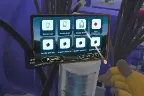
Seated operation, a clear training tablet with a large font, teleport, snap turn and vignette — comfort also for people with limited mobility.
See it in action
Full application walkthrough — from PPE to the service report

This is what a renewable energy technician’s working day looks like — in a headset
In the recording you will see a complete service scenario carried out in the application:
- Collecting PPE and attaching the safety line before working at height
- Measurements with a multimeter, cable tester and megger in the switchgear
- Taking and analysing an oil sample, measuring gearbox temperature
- LOTO procedure, replacement of the faulty component and final test
- Automatic report: time, errors, skipped steps, grade
For Education
A renewable energy lab no school could build
A real turbine nacelle for practice is beyond a school’s budget. In VR every student on the renewable energy equipment and systems technician track has their own turbine within arm’s reach.
Technical and vocational schools
Practical training for renewable energy equipment and systems technicians: service procedures, electrical measurements, safety and working at height — in the classroom, in practical lessons and in after-school clubs.
Vocational training centres and universities
Vocational training centres and technical universities use the application for renewable energy courses and classes on the operation of power equipment. Simulation mode works like a practical exam with automatic assessment.
Teacher = instructor
The teacher sets the scenario parameters (number and type of faults, time limit, scope), switches milestones on and watches the whole group’s progress in real time — while the class follows the session in observer mode.
Everything from one supplier
Application, headsets, deployment and training — on one invoice
We deliver ready-to-use stations: Meta Quest headsets with the application pre-installed, on-site or remote deployment, teacher training and teaching materials. No configuring on your own.
Turnkey deployment
Everyone in the institution knows what’s in it for them
What matters to management
An investment that is easy to justify
- Lifetime licence — one expense, years of use, zero subscriptions
- Eligible for funding (in Poland e.g. Cyfrowy Uczeń)
- Progress reports — hard data for evaluating teaching
- No travel costs to a wind farm and no risk of a student accident
- One deployment serves successive year groups
Vocational teacher
Ready-made scenarios in line with industry procedures — no stations to prepare.
Student / trainee
A technician’s real tasks instead of a slideshow — at their own pace and with instant feedback.
Health and safety specialist
PPE, fall protection, LOTO and hazard zones practised hands-on, not from a slideshow.
Service manager
Onboarding new service technicians without tying up turbines and experienced fitters.
School IT administrator
Standalone on Meta Quest 3 — no computers, cables or network configuration.
Parents and the school’s governing body
The school teaches a profession of the future in a modern and safe way — and it shows on open days.
Instructor Panel
The instructor has full control over the scenario
This is not a 360° video player — the instructor configures every session and sees in real time what each trainee is doing.
Scenario parameters
- Number and type of faults: electrical, mechanical, operational, system
- Operating mode: training or simulation
- Time limit and scenario scope (e.g. diagnostics only, or diagnostics + replacement)
Milestones
- 10 milestones — from safety to the final report
- Each one can be switched on or off — a lesson tailored to the group
- From short exercises to a full practical exam
Supervision and reports
- Live view of all participants’ progress
- Up to 10 observers follow the session without putting on a headset
- Final report: time, errors, skipped steps, grade
Offer summary
How much does Wind Turbine Service VR cost?
Education licence
€3,000 net / station · lifetime licence
For technical schools, vocational schools, vocational training centres and universities. In Poland it can be funded from the Cyfrowy Uczeń programme and other grants — we help with the paperwork.
Ask for a school offerWhat you can add in a package
- Meta Quest headsets with the application pre-installed
- Lab deployment and teacher training
- Teaching materials for instructors
- Transport case for a set of headsets
Business licence
€3,000 net / station · lifetime licence
For companies servicing wind farms, renewable energy operators and training centres. Multi-licences and scenario customisation — custom quote.
Ask for a B2B offerFor business in a package
- Headsets with pre-installation and device fleet configuration
- Training for in-house trainers
- Reporting for training records
- Combining with EpicVR’s VR safety and LOTO applications
What exactly does the €3,000 net licence cover?
The full Wind Turbine Service VR application for one station (one headset): all 7 stages of the service procedure, both operating modes (training and simulation), multiplayer with the instructor panel and observer mode, and the reporting system. The licence is for life — no annual fees or subscriptions. Headsets, deployment and instructor training are quoted separately or as a package.
Can I test the application first?
Yes. Book a free online presentation or use the EpicVR test programme — we lend headsets with the application so that the teaching staff or the training department can check the product before making a purchase decision.
Free presentation
See the turbine in VR before you decide
Leave your contact details — we will get back to you within 1 business day and arrange an online presentation or headset tests at your site.
- Live presentation with time for questions
- Package quote for your number of stations and grant
- Help with choosing headsets and putting the lab together
- No obligation — you check first, then decide
See also
Deployments of procedural training on machines
Servicing a turbine is a sequence of tasks at height and under voltage. Below are deployments in which we train machine procedures in VR — the same methodology.
Toyota — operating the TNGA 1.5 casting machine
Challenge: Prepare future employees to operate the machine before they reach the workstation.
Solution: VR training with the operating procedures of a cylinder head casting machine in a virtual copy of the workstation.
Result: Deployment results are available on request — the data is held by the client.
Colgate-Palmolive — pump assembly
Challenge: An error-free pump assembly and disassembly sequence for new employees.
Solution: VR training that checks the order of every step.
Result: VR training since 2021.
Velvet CARE — line changeover
Challenge: Shorten line downtime during a format change.
Solution: VR training with the changeover sequence and safe working practices.
Result: The client reports shorter production stoppage time; figures on request.
Your deployment could be next
We will show the app online in 30 minutes, calculate the cost for your number of stations and propose a pilot.
FAQ
Frequently asked questions
How much does the Wind Turbine Service VR application cost?
A lifetime licence costs €3,000 net per station (one headset). No subscriptions or annual fees. Meta Quest headsets with pre-installation, deployment and instructor training are quoted separately or as a package — for multiple stations we prepare a custom quote.
Which headsets does the application run on? Is a computer needed?
The application runs in standalone mode on Meta Quest 3 headsets — with no connection to a computer. All logic, interactions and 3D models are optimised for this platform. A laptop with the SCADA system appears only in the virtual scenario — as the technician’s diagnostic tool.
What exactly does the application teach?
The full wind turbine service procedure in 7 stages: work preparation and safety (PPE, fall protection, LOTO), preparing diagnostic tools, diagnostics and inspection (electrical measurements, oil and grease analysis, temperature, SCADA, inspection), shutting down and securing the turbine, repair and component replacement, test with restart, and reporting. The emphasis is on the correct sequence of actions and a logic of work in line with industry standards.
Which faults can be simulated?
The instructor chooses the number and type of faults: electrical, mechanical, operational or system. Measurement results are generated according to the scenario parameters, and the trainee replaces the faulty components — there are 9 to choose from, including the oil pump and filter, generator brushes, vibration sensor, temperature sensor, cooling module fan, gearbox seals and an electrical cable.
How does training mode differ from simulation mode?
Training mode guides the trainee step by step: it highlights objects, displays messages and hints in 3D space, and flags errors straight away. Simulation mode reproduces real conditions — with no hints. The system records all actions and generates a final report; errors do not block progress, but they lower the grade.
Can teams train together in the application?
Yes. Up to 4 active trainees can work in one session, supervised by an instructor with extended permissions, while up to 10 more people follow the session in spectator mode — e.g. the whole class on a screen. Participants’ actions are synchronised in real time. You can also train solo.
What does the instructor see and control?
The instructor monitors all participants’ progress live, sets the scenario parameters (number and type of faults, operating mode, time limit, exercise scope) and switches each of the 10 milestones on and off — from putting on PPE to the final report. After the session they receive a report with completion time, errors, skipped steps and the final grade of each trainee.
Does bare-hand control (hand tracking) work?
Yes. Besides controllers, the application supports Meta Quest hand tracking: grabbing and lifting objects, handling tools and operating the interface by touch. More complex manual tasks have simplified substitute mechanics — what counts is the correct procedure, not finger dexterity.
Which schools and tracks is this application for?
Above all for technical and vocational schools training renewable energy equipment and systems technicians, as well as vocational training centres and technical universities running renewable energy courses. On the business side — for companies servicing wind farms and for training centres.
Can a school afford such a lab? Where does the funding come from?
In Poland the application qualifies for the Cyfrowy Uczeń programme (grants of PLN 15,000–100,000 depending on school size) and other education digitalisation programmes. We help prepare the specification for the application. The licence is for life, so one grant funds the lab for years.
Can people with disabilities use the application?
The application supports seated operation (height calibration in Meta Quest), has a clear training tablet with a large font, and comfort features: teleportation, snap turn and vignette. The interface design minimises the need to hold one position for a long time.
What does deployment look like and how long does it take?
We deliver headsets with the application pre-installed, carry out the deployment (on site or remotely) and train the instructors. If you already have your own Meta Quest 3 headsets, we activate the licence remotely — all you need is a code. As a rule, the whole process takes a few business days from the order.
Can I see the application before buying?
Yes — book a free presentation using the form on this page. You will watch a full walkthrough of the application live, ask questions and agree a quote for your institution. Headset tests are also possible under the EpicVR test programme.
What about servicing — what if a headset gets damaged on the shop floor?
Meta Quest headsets are off-the-shelf hardware available immediately — replacing a damaged unit costs a fraction of repairing a classic simulator. The licence is tied to an account: you log in on a new device and carry on training. We provide technical support and replaceable hygiene covers.
How do I calculate the return on this investment?
Compare the licence cost with what you pay today: machine downtime for training, instructor hours, materials used up in exercises and the cost of new employees’ mistakes. You repeat VR scenarios without limits, without stopping production and without using up materials — in most deployments the investment pays for itself in the first year.
Won’t employees complain of dizziness in VR?
We design scenarios for comfort: sessions last from a few to a dozen or so minutes, exercises are done on the spot (no artificial locomotion), and interactions mirror natural hand movements. In practice a negligible share of users report discomfort, and rotating stations gives natural breaks.
Licence and terms of use
EpicVR apps are provided under a licence agreement. The key rules before you order:
- One licence = one Meta account. The key activates the app on one account and cannot be moved to another.
- Delivery through the Meta Horizon Store — from our private release channel. You give us the e-mail address of the Meta account and we grant access to the app.
- The Meta account must be a standard account for an adult (18+). Accounts marked as child accounts do not support private distribution channels — this is a Meta platform rule. In a school, the app is activated by a teacher or an administrator.
- Hardware: Meta Quest 3 or 3S headsets in standalone mode, with no computer or cables.
- Term: a fixed-term licence (subscription) or a perpetual one — as ordered.
- Updates during the licence term are included and download from the Meta Horizon Store.
Download the licence agreement (PDF, Polish)
Version of 17 September 2026. The document covers all EpicVR training apps. The agreement is governed by Polish law; in case of discrepancies between the Polish and English versions, the Polish version prevails. Purchasing, activating or using the software means acceptance of the agreement.
Formal information
Training status and professional qualifications (SEP, GWO, health and safety)
The Wind Turbine Service VR application is a training and teaching tool. It supplements vocational education and training required by law — it does not replace them and does not grant qualifications. Electrical licences (SEP in Poland), GWO (Global Wind Organisation) certificates, and health and safety and working-at-height training are issued solely by authorised centres and boards. VR lets trainees practise procedures in safe conditions before taking such training and exams.
Licence and technical requirements
The lifetime licence is assigned to a station (one headset). Required headset: Meta Quest 3 (standalone mode, no computer). The application supports controllers and hand tracking. Scenario content reproduces equipment, tools and procedures in line with industry standards; the developer reserves the right to minor simplifications of interaction mechanics compared with real manual tasks.
Wind turbine servicing — questions and answers
Short answers to questions about wind turbine servicing and training in virtual reality.
What does servicing a wind turbine involve?
Servicing a wind turbine is the periodic inspection and repair of its components: from electrical measurements (voltage, cable continuity, insulation resistance), through analysis of gearbox oil and grease, checking temperature and bolted connections, to replacing worn parts. The work is carried out after the turbine has been shut down and secured with the LOTO procedure, following the rules for working at height.
What is the Wind Turbine Service VR application from EpicVR?
It is a VR training application that reproduces the full wind turbine service procedure in a realistic 3D environment on Meta Quest 3 headsets. The trainee goes through 7 stages of a technician’s work — from safety and LOTO, through diagnostics with a multimeter, megger and SCADA panel, to component replacement and the report. It is developed by EpicVR, a Polish VR/AR studio operating since 2013.
How much does VR training in wind turbine servicing cost?
A lifetime licence for the Wind Turbine Service VR application costs €3,000 net per station. The price includes all training stages, training and simulation modes, multiplayer with the instructor panel and the reporting system. Headsets and deployment are quoted separately; schools in Poland can fund the purchase from the Cyfrowy Uczeń programme, among others.
Does VR training replace SEP licences or a GWO certificate?
No. The application supplements vocational education and training required by law, but it does not grant qualifications. SEP electrical licences (Poland) and GWO (Global Wind Organisation) certificates are issued solely by authorised centres and examination boards. VR is for practising procedures safely before real exams and work on a turbine.
Which diagnostic tools does the application reproduce?
A multimeter (voltage and temperature measurement), cable tester, insulation resistance meter (megger), torque wrench, oil sampling kit and sample analyser, grease sampler, and a laptop with access to the SCADA system. The system recognises the correct use of each device and the right order of measurements.
Does the application teach the LOTO procedure?
Yes. The Lockout-Tagout procedure appears twice: when securing the workstation at the start of work and when shutting the turbine down before a repair — with locks, tags and validation of the order of steps. Skipping LOTO before a repair ends up as an error in the report. Full training in this procedure is also offered by a separate EpicVR application: LOTO Procedure Training.
In which profession is this training useful?
Above all for renewable energy equipment and systems technicians — the application reproduces a technician’s real working conditions at a wind turbine. It is also used by wind farm service technicians, renewable energy fitters and the maintenance departments of energy operators.
Can several people be trained at once in the application?
Yes. Multiplayer lets up to 4 trainees work at the same time under the supervision of an instructor, who sets the scenario parameters and sees progress in real time. In addition, up to 10 people can watch the session in observer mode — without putting on a headset.