A virtual farm for learning agriculture
Farm Simulator VR. Teach agriculture in practice — on a virtual farm
The student puts on a headset and works on a realistic farm: tidies tools in the farmyard, examines soil and crops in the field and matches fertilisers to plants. Tasks come with instant feedback and quizzes — safely, at any time of year. Co-created with the Poznań University of Life Sciences.

The app in action
Three scenes, one cycle of farm work
From order in the farmyard, through soil testing, to choosing fertilisers and tending crops. The student carries out real tasks and the app checks them as they go.
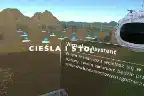
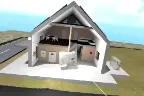
Farmyard
Work and order on the farm
- Handling tools and putting them back in the right place.
- Step-by-step tasks with instant feedback.
- A safe environment — learning with no risk and no costs.
Field / practice
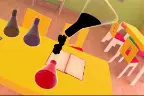
Examining soil and crops
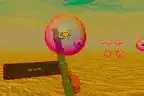
- A magnifier for inspecting soil, seedlings and plants in the field.
- Recognising the condition of crops and seeds.
- Agronomic knowledge checked in tasks.
Crops and fertilising
Matching fertilisers to plants
- Choosing a fertiliser for a specific crop (e.g. rapeseed, wheat).
- Beds and plots with different plants.
- A quiz with feedback after every decision.
📋 In short — Farm Simulator VR
An educational VR app — a virtual farm for hands-on learning. Wearing a Meta Quest 3 headset, the student carries out real farm and agronomy tasks: handling tools, examining soil and crops, choosing fertilisers. Every task ends with feedback and a quiz. Co-created with the Poznań University of Life Sciences.
- Scenes: farmyard (tools, order), field/practice (soil, seedlings, plant recognition), crops and fertilising (matching fertilisers to plants).
- How learning works: step-by-step tasks, hints, quizzes and instant feedback on correctness.
- For: agricultural technical and vocational schools, life sciences universities, agricultural advisory centres.
- Hardware: Meta Quest 3 — standalone, no cables and no workstation PC.
- Funding: in Poland it qualifies for school programmes (Cyfrowy Uczeń, EU projects, vocational labs) and for university capital expenditure.
See it in action
Farm VR modules on video

Practice in the field
- Examining soil and seedlings — you check the condition of the plot and the plants with a magnifier.
- Recognising seeds and crops with knowledge verified in tasks.
- Training observation and agronomic reasoning without going out into the field.

Crops and fertilising
- Choosing a fertiliser for a crop — e.g. nitrogen for rapeseed, phosphorus for winter wheat.
- Beds and plots with different plants to tend.
- A quiz with feedback reinforces the right decisions.
How learning works
The student learns by doing
Instead of passive listening — real tasks, decisions and instant correction. The knowledge stays because it was gained in practice.
Task on the board
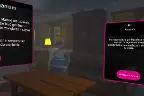
The student reads the instruction and carries out the task in the farmyard or in the field — e.g. puts a tool away, examines the soil, picks a fertiliser.
Feedback
The app shows straight away whether the decision was correct and explains why — this reinforces the right habits and knowledge.
Quiz and next task
Short questions check understanding, and the student moves on to the next task, building a complete work cycle.
Benefits
What the institution and the student gain
Practice all year round
Field work and agronomy regardless of weather, season and access to a farm.
Learning by doing
Real tasks and decisions with instant feedback — the knowledge lasts longer.
Safe and at no cost
A mistake in VR costs nothing — no destroyed crops, wasted fertiliser or risk.
Engaging classes
A modern format engages students and sets the school’s or university’s teaching offer apart.
Measurable results
Task and quiz results help assess progress and exam readiness.
Content from a university
Scenarios co-created with the Poznań University of Life Sciences — content grounded in academic knowledge.
Choose the model for your institution
Lifetime licences for schools, flexible deployments for universities. No hidden costs. Already have Meta Quest headsets? We will launch the simulator within 24h of payment.
“VR Station” package
1 licence, one-off purchase, EDU
net · lifetime licence
- Lifetime licence — no subscription
- Farm Simulator VR: 3 scenes (farmyard, field, crops)
- Tasks, quizzes and feedback
- Ideal for labs and classrooms
Lab packages
More than 10 stations, group offer
on request
- Lower unit price for group orders
- VR headset delivery and configuration
- Fits grant funding (Cyfrowy Uczeń, EU projects)
- Support, hardware selection and delivery
Configure your own package
A flexible model for institutions
configurable
- Mix licences (e.g. Farm + other EpicVR simulators)
- Onboarding training for teachers
- Certificates for staff
- A model matched to the institution’s requirements
Faculty package
Multiple stations for a degree programme
on request
- Licences for VR kits for student groups
- Agronomy scenes and farm work
- Deployment support and staff training
Pro package
Teaching with reporting
on request
- Full access to scenes and tasks
- Student results reports
- Scenarios matched to the curriculum
Custom deployment
Research and teaching on request
on request
- Dedicated scenarios and scenes
- Expansion with new crops and processes
- Subject-matter cooperation and support
Cooperation — case study
Farm VR with the Poznań University of Life Sciences
Content grounded in academic knowledge
Farm Simulator VR was created in cooperation with the Poznań University of Life Sciences. The scenes and tasks reflect real farm work and agronomic knowledge — from order in the farmyard to matching fertilisers to crops.
- Realistic scenes of the farmyard, field and crops.
- Tasks and quizzes based on agricultural knowledge.
- Teaching value confirmed by cooperation with a life sciences university.
- Material for schools and universities teaching agricultural programmes.
Hardware and app — all on one invoice
We supply Meta Quest 3 headsets with the simulator installed, fully configured and ready for class from the first second. Ideal for settling grants and projects — one supplier, one invoice.
Who it is for
For agricultural schools and life sciences universities
Wherever practical preparation for work in agriculture matters — from technical schools to universities and advisory services.
- A modern lab without costly infrastructure or a training farm.
- Fits grant funding and capital expenditure (Cyfrowy Uczeń, projects).
- A distinctive offer in teaching and an argument in recruitment.
- Measurable results of teaching thanks to task and quiz results.
Agricultural and agribusiness technicians — practical learning of farm work and agronomy.
Teaching on agricultural programmes — exercises and scenarios grounded in academic knowledge.
Ready-made tasks with feedback take the load off the instructor and make assessment easier.
Learning by doing in a realistic environment — no stress and no risk.
Practical training in agronomy and fertilising under repeatable conditions.
A solution ready for grant settlement — hardware and licences on one invoice.
Free demo
See Farm VR in action
Leave your details — we will show all the scenes and discuss the lab configuration and funding options.
- Demo online or on site — you will see the farmyard, the field and the crops in VR.
- Deployment in 24h — if you have Meta Quest headsets, we go live once access is paid.
- Hardware and configuration — headsets, installation and staff training.
- Help with funding — we will match a funding source and the documentation.
Book a free demo
See also
Related deployments — work and environment simulators
Farm Simulator builds on the mechanics of our machine and natural-environment simulators.
University of Gdańsk — coastal zone pollution
Challenge: An international summer school needed field materials available remotely.
Solution: A series of 360 films and a VR app integrated with Moodle, with teaching materials.
Result: Deployment results are available on request — the data is held by the client.
Warehouse Simulator — process simulation
Challenge: Test the layout and operation times before changing the real facility.
Solution: A simulator with layout configuration and time measurement — the basis of our process simulators.
Result: Deployment results are available on request — the data is held by the client.
Suwałki Cultural Centre — 5 kits + a virtual gallery
Challenge: Make digitised art available in a browser and on headsets, with its own CMS.
Solution: The “Uwolnij Wyobraźnię” app (web + VR) plus purchase and configuration of 5 headset kits and workshops.
Result: Deployment results are available on request — the data is held by the client.
Your deployment could be next
We will show the app online in 30 minutes, calculate the cost for your number of stations and propose a pilot.
Frequently asked questions
Which VR headsets are needed?
Meta Quest 3 in standalone mode — no cables and no workstation PC. You can buy the headsets from us fully configured or source them yourself (we support the installation).
Does the app check the student’s knowledge?
Yes. Every task ends with feedback on correctness, and short quizzes verify understanding. The results help assess progress and exam readiness.
Which scenes does the simulator include?
Three: farmyard (work and order with tools), field/practice (examining soil, seedlings and plants) and crops and fertilising (matching fertilisers to specific crops).
How many students can use the simulator?
The number of VR stations is agreed individually — as many as you have headset kits. Students can rotate, and the simulator works well in a lab setting.
Can the purchase be financed from grants?
Yes. For Polish vocational and agricultural technical schools the purchase qualifies, among others, for the Cyfrowy Uczeń programme and vocational lab funding. We help match a funding source and prepare the documentation.
Can I see the simulator before buying?
Yes — book a free demo. We will show all the scenes and discuss configuration and funding matched to your institution.
Isn’t this a toy that students will get bored of after a month?
The basis is teaching results, not the novelty effect: Stanford research shows around 75% higher knowledge retention when learning through experience, and the scenarios lead the student step by step, validating every action. The engagement VR gives is an advantage — it is harder to get at a whiteboard.
Will teachers manage without an IT specialist?
Yes — that is one of the main design assumptions. The headsets arrive configured, apps launch with one click, and staff are trained at the start. Running a class needs no computer or technical knowledge; we also add lesson plans and technical support.
How do we know students are practising and not just playing in the headsets?
The app controls the flow: each stage unlocks only after the previous one is done correctly, and quizzes and summaries check understanding. In the reports the teacher sees who completed a scenario and with what result — “clicking through” an exercise is not possible.
Licence and terms of use
EpicVR apps are provided under a licence agreement. The key rules before you order:
- One licence = one Meta account. The key activates the app on one account and cannot be moved to another.
- Delivery through the Meta Horizon Store — from our private release channel. You give us the e-mail address of the Meta account and we grant access to the app.
- The Meta account must be a standard account for an adult (18+). Accounts marked as child accounts do not support private distribution channels — this is a Meta platform rule. In a school, the app is activated by a teacher or an administrator.
- Hardware: Meta Quest 3 or 3S headsets in standalone mode, with no computer or cables.
- Term: a fixed-term licence (subscription) or a perpetual one — as ordered.
- Updates during the licence term are included and download from the Meta Horizon Store.
Download the licence agreement (PDF, Polish)
Version of 17 September 2026. The document covers all EpicVR training apps. The agreement is governed by Polish law; in case of discrepancies between the Polish and English versions, the Polish version prevails. Purchasing, activating or using the software means acceptance of the agreement.
Legal information
Legal notice
The content of this website is for information purposes only and does not constitute an offer within the meaning of Article 66 §1 of the Polish Civil Code. The information is not binding and cannot be the basis for claims against EPICVR SA. To receive a binding commercial offer, please contact our team directly.
Training nature of the simulator
Farm Simulator VR is a teaching tool that supplements agricultural education. It does not replace work placements, training or examinations required by law and the curriculum, and it does not confer any legally required qualifications.
Frequently asked questions
Farm Simulator VR — FAQ
The most common questions about the VR farm simulator for agricultural education. Didn’t find an answer? Write to us — we reply within 24h.
What is Farm Simulator VR?
It is an educational virtual reality app — a virtual farm where a student wearing a Meta Quest 3 headset carries out real farm and agronomy tasks: handles tools, examines soil and crops and chooses fertilisers. Every task ends with feedback and a quiz. It was co-created with the Poznań University of Life Sciences and is built by EpicVR — a Polish VR software producer operating since 2013.
Which scenes and tasks does the simulator include?
The simulator has three scenes: farmyard (work and order with tools), field/practice (examining soil and seedlings and recognising plants with a magnifier) and crops and fertilising (choosing the right fertiliser for a crop, e.g. nitrogen for rapeseed or phosphorus for winter wheat). The student carries out tasks step by step and the app checks them as they go.
Who is Farm Simulator VR for?
For agricultural technical and vocational schools, life sciences universities and agricultural advisory centres. It works as a practical supplement to classes and preparation for vocational exams — regardless of weather, season and access to a farm.
Is the content reliable?
Yes. The simulator was created in cooperation with the Poznań University of Life Sciences, so the scenes and tasks are based on real agronomic knowledge and real farm work.
What hardware is needed?
Meta Quest 3 headsets with the app installed are enough — they work on their own, with no cables or computer. Headsets can be bought together with the deployment (fully configured) or sourced yourself.
How much does Farm Simulator VR cost?
For schools the licence starts at €1,250 net per station (lifetime licence, no subscription). For labs and universities we prepare an individual quote depending on the number of stations and the scope of deployment. If you already have Meta Quest headsets, we will launch the simulator within 24 hours of payment.
Can the purchase be financed from grants?
Yes. For Polish vocational and agricultural technical schools the purchase qualifies, among others, for the Cyfrowy Uczeń programme and vocational lab funding. EpicVR helps match a funding source and prepare the documentation.
Does the simulator replace work placements?
No — it is a supplementary teaching tool. It does not replace work placements or examinations required by law and the curriculum, but it prepares students for them effectively, letting them practise procedures safely and repeatedly.