VR/AR vocational training · Module from €750 net
Technical Trades VR/AR. 29 trades to learn in practice — with no workshop and no risk
The student does not read about a trade — they step up to a workstation and carry out real tasks. 29 technical and service trades, 87 practical tasks, a virtual assistant and three languages: Polish, English and Ukrainian.

See it in action
9 of 29 trades recorded straight from the headset
Each trade is 3 practical tasks of 4–5 minutes at a real workstation — with a virtual assistant, a scoring system and adaptive difficulty.

VR · Installations
Plumber
Running pipes, connecting fittings and leak tests — without flooding a single bathroom.
VR · Construction
Paver / Construction carpenter
Laying and jointing paving blocks, and foundation formwork: plan, choice of elements, assembly with a spirit level.

VR · Working at height
Roofer
Laying roof tiles, flashing and guttering — height with no risk of falling.

VR · Construction
Bricklayer
Mixing mortar, laying bricks and blocks, checking plumb and level, lintels.

VR · Finishing
Interior painter
Priming and painting with a roller and brush — the system measures how even the coat is.

VR · Automation
Mechatronics technician — Smart Home
Controllers, sensors, lighting and heating automation, and Smart Home system diagnostics.

AR · Crafts
Joiner
Joinery tools, joints and furniture assembly — a virtual workshop in your real room (passthrough).

AR · Crafts
Tailor
Operating a sewing machine, choosing fabrics, cutting and stitching — with your own hands (hand tracking).

AR · Servicing
Bicycle mechanic
Replacing the chain, adjusting brakes, servicing derailleurs and truing wheels — tools at 1:1 scale.
VR scenarios — 17 trades
Construction carpenter and joiner · Freight forwarder · Interior painter · Bricklayer · Paramedic · Drone operator · Massage therapist · Truck driver (trailer inspection) · Cabin crew (preparing the aircraft) · Smart Home mechatronics technician · Paver · Tiler · Home appliance installer · Plumber · Car mechanic · Drywall installer · Roofer
AR scenarios (passthrough) — 12 trades
CNC operator · Barista · Production worker · Florist · Lathe operator · Baker-confectioner · Dental assistant · Joiner · Laboratory technician · Tailor · Fire protection system installer · Bicycle mechanic
You choose any trades from the list of 29 — or take the full set. We will send full scenario descriptions with the offer. Ask for the full list →
📋 At a glance — Technical Trades VR/AR
An interactive VR/AR system for practical vocational training — the student takes on the role of a worker and carries out real job tasks in a 3D environment, gaining skills before entering a real workshop. The application is developed by EpicVR — a Polish VR software producer since 2013.
- 29 trades: 17 VR scenarios and 12 AR scenarios (passthrough — virtual tools in a real room). 87 practical tasks in total.
- Structure of a trade: 3 tasks of 4–5 minutes with sub-tasks, unlocked one after another. At the start: title, task list and outline.
- Virtual assistant and adaptation: contextual hints (text + voice-over), 3 difficulty levels that adapt automatically to the student.
- Scoring system: accuracy, completion time and manner of interaction — a summary after every task.
- 3 languages: Polish, English and Ukrainian — automatic detection + change in the menu. The module can be extended with further languages.
- Hardware: Meta Quest 3S, standalone, fully offline. Hand tracking + optional controllers. Perpetual licence.
- Price: single trade from €750 net, package of 29 trades €10,000 net / station.
💡 Learning by doing: instead of a description of the trade — 15 minutes of real work in a headset. Book a demo →
One trade or the whole job market?
Perpetual licences, no subscription. The package of 29 trades is more than 50% cheaper than modules bought separately.
Single trade
Any of the 29 scenarios
net · perpetual licence
- 3 practical tasks of 4–5 minutes
- Virtual assistant and scoring system
- 3 languages: PL / EN / UA
- Ideal as a start or for a class profile
Package of 29 trades
The whole job market in one headset
net / station · perpetual
- 29 trades · 87 tasks · VR + AR
- More than 50% cheaper than separate modules
- From construction to medicine and catering
- Material for years of practical classes
Turnkey trades lab
Licences + headsets + staff training
on request
- Meta Quest 3S headsets with pre-installation
- Discount on group orders
- Training for vocational teachers
- Specifications for grants and tenders
Selected trades
For the region’s needs
net / trade · perpetual
- Selection based on the region’s labour market demand
- Workshops, courses, job fairs
- Ukrainian version for foreign nationals
Package of 29 trades
Full set for labour market institutions
net / station · perpetual
- All sectors: construction, engineering, medicine, services, catering
- Works offline — also in the field
- Score reports from every session
Custom project
A system tailored to your region
on request
- New trades on request
- The client’s branding and colours
- Additional language versions
Why it works
Learning a trade by doing, not from a textbook
The student carries out job tasks with their own hands — and the system measures how they are doing.
Virtual assistant
When the student gets stuck, the assistant gives contextual hints — with a highlight, text and voice-over. It helps but does not do the work for them.
Adaptive difficulty levels
Three levels that adapt automatically to the student’s actions — nobody gets bored and nobody drops out.
Scoring system
Accuracy, completion time and manner of interaction assessed after every task. Automatic pause when the headset is taken off — the score is always fair.
Virtual tablet
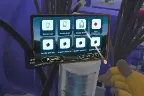
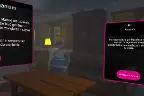
Task list, instructions and progress always at hand — the tablet can be let go and stays suspended in space.
3 languages — including Ukrainian
Interface, instructions and voice-over in Polish, English and Ukrainian. Automatic language detection + change in the menu.
VR + AR in one
17 trades in full VR and 12 in AR mode (passthrough) — virtual tools in a real classroom. Offline, no computer.
For education
A practical vocational training lab students look forward to
Instead of a slideshow and a textbook — the student puts on a headset and works as a bricklayer, mechatronics technician or barista. 29 workstations without building a workshop. Perpetual licences and hardware on one invoice.
Single trade
net / perpetual licence
- 1 of 29 trades to choose from
- 3 tasks with assistant and scoring
- Start from your school’s profile
Package of 29 trades
net / station · perpetual
- 87 tasks — material for years of classes
- VR + AR, all sectors
- More than 50% cheaper than separately
Turnkey lab
on request
- Meta Quest 3S headsets with pre-installation
- Training for vocational teachers
- Documentation for grants and EU projects
29 vocational training stations. One invoice
We deliver Meta Quest 3S headsets with the application installed — configured and ready for classes. No internet, no computer, no subcontractors. Simple settlement of a grant, EU project or tender.
For schools and institutions
Everyone at school sees their benefit
What matters to management and the governing body
- 29 labs in one headset — workshops that would cost millions to build.
- One purchase for years — perpetual licence, 29 trades, zero subscription.
- A proven model — a system deployed in production, ready to be replicated in your institution.
- Ukrainian version — full inclusion of foreign students in classes.
- One invoice — licences, headsets and staff training; specifications for grants and EU projects.
Vocational teacher
29 workstations within arm’s reach. The student’s scores are concrete data for assessing progress and gaps.
Student
Tries the trade first-hand before choosing a school or track — with no risk and no embarrassment over mistakes.
Form tutor / group supervisor
The tutorial and virtual assistant guide the student — the teacher supervises the group, not the technology.
Labour offices and youth labour corps
A tool for courses, workshops and job fairs — offline, so it works anywhere. Trades selected to match labour market demand.
School counsellor / psychologist
A safe way of trying out job roles — also for shy students and those with a language barrier (UA version).
Education fairs and events
A VR station draws crowds — short 4–5 min tasks fit the fair format perfectly.
Teaching method
What a session with one trade looks like — 4 steps
Tutorial
A short introduction from the main menu — gestures, tablet, teleportation. First time in VR? No problem.
Choosing a trade
At the start of the scenario: title, task list and outline — a description of the workplace, the trade and the main elements.
3 tasks of 4–5 minutes
Tasks unlock one after another. Interactive objects are highlighted, and the assistant gives hints when the student gets stuck.
Score summary
Accuracy, time and manner of interaction after every task — ready material for assessing progress.
Time for specifics. Choose your model
Perpetual licences. No subscription, no hidden costs.
Single trade
net · perpetual licence
- 1 of 29 trades to choose from
- 3 tasks + assistant + scoring
- PL / EN / UA
Package of 29 trades
net / station · perpetual
- 29 trades, 87 tasks, VR + AR
- More than 50% cheaper than separately
- Material for years of classes
Turnkey lab
on request
- Headsets + pre-installation + training
- Discounts on group purchases
- Documentation for grants
Selected trades
net / trade · perpetual
- Selection for the region’s needs
- Workshops and job fairs
- Ukrainian version
Package of 29 trades
net / station · perpetual
- All sectors: from construction to catering
- Offline — also in the field
- Score reports from sessions
Custom project
on request
- New trades on request
- The client’s branding
- Additional languages
What does the offer include?
For education: perpetual licences with no recurring fees, option to buy Meta Quest 3S headsets with the application pre-installed, training for vocational teachers and documentation for grants and EU projects.
For business and institutions: trades selected for the needs of a region or company, multi-station deployments for courses, workshops and fairs, custom projects with branding and new scenarios on request.
In both cases a free demo presentation and a configuration matched to the scale of deployment are available.
Free demo
See 29 trades in a headset before you decide
Leave your contact details — we will show the system live, help choose trades for your training tracks and work out a configuration for your budget, grant or project.
- Demo online or on site — you will see exactly the trades you are interested in.
- Choice of trades — for your training tracks, labour market demand and the region’s needs.
- We deliver headsets Meta Quest 3S with the application pre-installed.
- We train your staff — teachers run classes on their own from the first week.
- We will help with funding — specifications for grants, EU projects and tenders.
Book a free demo
See also
This is how industry trains — technical training deployments
The technical trades applications were built on the same mechanics that train employees of Toyota, Colgate and Krakodlew.
Toyota — operating the casting machine
Challenge: Prepare future employees to operate the machine before they reach the workstation.
Solution: VR training with the operating procedures of the TNGA 1.5 cylinder head casting machine.
Result: Deployment results are available on request — the data is held by the client.
Colgate-Palmolive — pump assembly
Challenge: Error-free pump assembly and disassembly for new employees.
Solution: Sequential VR training that checks every step; in use since 2021.
Result: Deployment results are available on request — the data is held by the client.
Gagarin Vocational School Complex in Bydgoszcz — 6 vocational applications
Challenge: Students of construction trades were to practise tasks that cannot be safely repeated in a workshop.
Solution: Lifetime licences: Plumber, Roofer, Interior Painter, Bricklayer, Health and Safety Training and First Aid (extended version) on Meta Quest.
Result: Delivery 07/2026 — 6 applications on one headset set.
Your deployment could be next
We will show the app online in 30 minutes, calculate the cost for your number of stations and propose a pilot.
Frequently asked questions
Hand tracking or controllers?
Both. The main emphasis is on hand tracking — the student works with their own hands. Users who prefer traditional operation can use controllers (some scenarios, e.g. freight forwarder, use controllers to operate the scanner and trolley).
Does the application need the internet?
No — it works fully offline, in standalone mode on Meta Quest 3S headsets. No computer, no cables and no network. It also works well in the field: at job fairs and mobile workshops.
How long is a session with one trade?
About 15 minutes: 3 tasks of 4–5 minutes. A format ideal for a practical vocational lesson (group rotation) and for a fair stand.
Can the student skip tasks?
No — tasks unlock one after another: the second after completing the first, the third after the second. This builds the correct work sequence for the trade.
What happens when the student takes the headset off?
An active pause starts — progress and time are not measured then. The score always reflects real work in the headset.
How do the difficulty levels work?
Every task has three difficulty levels that adapt automatically to the user’s actions — a student doing very well gets a bigger challenge, and a beginner gets more support.
How does the virtual assistant help?
When the student does not perform a correct action for a minute, an assistant icon appears on the tablet. Once activated, the assistant highlights the right object, explains in text or voice, or shows a demonstration. It helps the student understand — it does not do the tasks for them.
Do students need VR training?
No — the application has a built-in tutorial (Introduction) available from the main menu: gestures, tablet, teleportation. Interactive objects are highlighted when a hand approaches.
How many people can use it at the same time?
As many as you have headsets — the licence is assigned to a station. A typical lab or fair stand has 4–20 headsets working in parallel.
Does it work on headsets other than Meta Quest?
The application is built primarily for Meta Quest 3S. A version for Pico headsets can be prepared — ask for details.
What does AR mode need?
Just an ordinary room — passthrough mode overlays virtual tools and machines on the real image from the headset cameras. The student sees their classroom enriched with a virtual workstation.
Can I test the system before buying?
Yes — book a free online presentation or a live demo. We will show exactly the trades that match the profile of your school or region.
Isn’t this a toy that students will get bored of after a month?
The basis is teaching results, not the novelty effect: Stanford research shows around 75% higher knowledge retention when learning through experience, and the scenarios lead the student step by step, validating every action. The engagement VR gives is an advantage — it is harder to get at a whiteboard.
Where can a school get the funds for a VR lab?
In Poland the purchase is eligible for school support programmes — including Cyfrowy Uczeń and EU projects. A perpetual licence is a one-off expense with no recurring fees, easy to settle from a grant, and you get hardware and software on one invoice. We help prepare the specification for the application.
What happens to the school’s licence if you stopped operating?
A perpetual licence works offline, on the school’s hardware, indefinitely — it needs neither our servers nor a subscription, so content bought once stays with you for good. And for peace of mind: EpicVR has operated continuously since 2013 as a Polish joint-stock company with more than a hundred deployments in companies and institutions across Poland.
Licence and terms of use
EpicVR apps are provided under a licence agreement. The key rules before you order:
- One licence = one Meta account. The key activates the app on one account and cannot be moved to another.
- Delivery through the Meta Horizon Store — from our private release channel. You give us the e-mail address of the Meta account and we grant access to the app.
- The Meta account must be a standard account for an adult (18+). Accounts marked as child accounts do not support private distribution channels — this is a Meta platform rule. In a school, the app is activated by a teacher or an administrator.
- Hardware: Meta Quest 3 or 3S headsets in standalone mode, with no computer or cables.
- Term: a fixed-term licence (subscription) or a perpetual one — as ordered.
- Updates during the licence term are included and download from the Meta Horizon Store.
Download the licence agreement (PDF, Polish)
Version of 17 September 2026. The document covers all EpicVR training apps. The agreement is governed by Polish law; in case of discrepancies between the Polish and English versions, the Polish version prevails. Purchasing, activating or using the software means acceptance of the agreement.
Legal information
Legal notice
The content of this website and all its subpages is for information purposes only and does not constitute an offer within the meaning of Article 66 §1 of the Polish Civil Code. The information presented is not binding and cannot be the basis for any claims against EPICVR SA. We reserve the right to change the presented materials without notice. To receive a binding commercial offer, please contact our team directly.
Information on waiving the right of withdrawal
In accordance with Article 38(13) of the Polish Consumer Rights Act, I declare that I consent to the digital service starting before the withdrawal period expires and I acknowledge that I lose the right to withdraw from the contract once it has been fully performed. This applies to digital products to which I am granted access immediately after purchase.
Teaching nature of the app
The Technical Trades VR/AR application is a teaching tool that supports practical vocational training and early career orientation. It does not grant licences or vocational qualifications — qualifications are granted solely by authorised examination bodies. The application supplements, but does not replace, the practical training required by the curriculum.
Frequently asked questions
Technical Trades VR/AR — FAQ
The most common questions about practical vocational training in VR and AR. Didn’t find an answer? Write to us — we reply within 24h.
What is the Technical Trades VR/AR application?
It is an interactive educational system in virtual (VR) and augmented (AR) reality for practical vocational training. The student takes on the role of a worker and carries out real job tasks in a 3D environment — gaining skills and trying out the trade before entering a real workshop. The system was created by EpicVR — a Polish VR software developer operating since 2013.
Which trades can be tried out?
29 trades: 17 in full VR (including bricklayer, roofer, plumber, paver, carpenter, tiler, interior painter, Smart Home mechatronics technician, freight forwarder, paramedic, drone operator, car mechanic, truck driver) and 12 in AR passthrough mode (including joiner, tailor, barista, florist, baker-confectioner, CNC operator, lathe operator, dental assistant, laboratory technician, bicycle mechanic).
How is one trade scenario structured?
Each trade is 3 practical tasks of 4–5 minutes, divided into sub-tasks and unlocked one after another. At the start the student sees the title, task list and outline. The scoring system assesses accuracy, completion time and manner of interaction, and displays a summary after every task.
How much does the Technical Trades VR/AR application cost?
A single trade costs from €750 net (perpetual licence). The package of 29 trades is €10,000 net per station — more than 50% cheaper than modules bought separately. We prepare a custom quote for a multi-station lab with headsets.
What hardware does the app run on?
On Meta Quest 3S headsets in standalone mode — fully offline, no computer. Operated with hand tracking or, optionally, controllers. A version for Pico headsets can also be prepared.
How does AR mode differ from VR?
In VR the student is transported to a fully virtual workplace. In AR mode (passthrough) virtual tools, machines and objects are overlaid on the real image of the room — the student works in their own surroundings.
Which languages is the application available in?
Polish, English and Ukrainian — interface, instructions and voice-over. The language is detected automatically and can also be changed in the menu. The language module can be extended with further translations.
Who is this system for?
For vocational schools, technical schools and primary schools (early career orientation), vocational training centres, youth labour corps and labour market institutions, as well as education fairs and job fairs. In Poland the purchase can be funded from grants, EU projects and the National Training Fund (KFS).
Does the application grant vocational qualifications?
No — it is a teaching tool for practical vocational training: it builds skills and confidence at the workstation, but qualifications are granted solely by authorised examination bodies. It also helps students check their aptitude before choosing a track.